


The Essential Supplies for a T-Card Setup
Setting up a T-Card system can significantly enhance your workflow organization and project management. Whether you’re a small business owner, part of a large organization, or just looking for a personal organizational tool, understanding the essential supplies for a T-Card setup can help streamline your processes. This blog post will break down what you need to create an effective T-Card system, from the cards themselves to the boards and accessories.
T-Card Supplies
To start with, having the right supplies is critical for an effective T-Card system. Let's explore each of the essential components:

1. T-Cards
At the heart of your T-Card setup are the T-Cards themselves. These are typically sturdy, colored cards that are easy to write on. They come in various sizes, but the most popular size is #3 (3-5/8" wide T). Choose colors that represent different categories or tasks for quick reference.
When selecting T-Cards, consider:
Material: Look for cards made from high-quality cardstock or plastic that can endure frequent handling.
Writable: Ensure they are compatible with different writing instruments, like permanent markers or dry-erase pens, if you plan to reuse them.

2. T-Card Rack or Board
The next essential supply is a holder or board where you can display your T-Cards. A dedicated T-Card rack to match the size T-card you choose is a MUST. The choice of board will depend on your workspace and personal preference.

3. How do T-Cards Work?
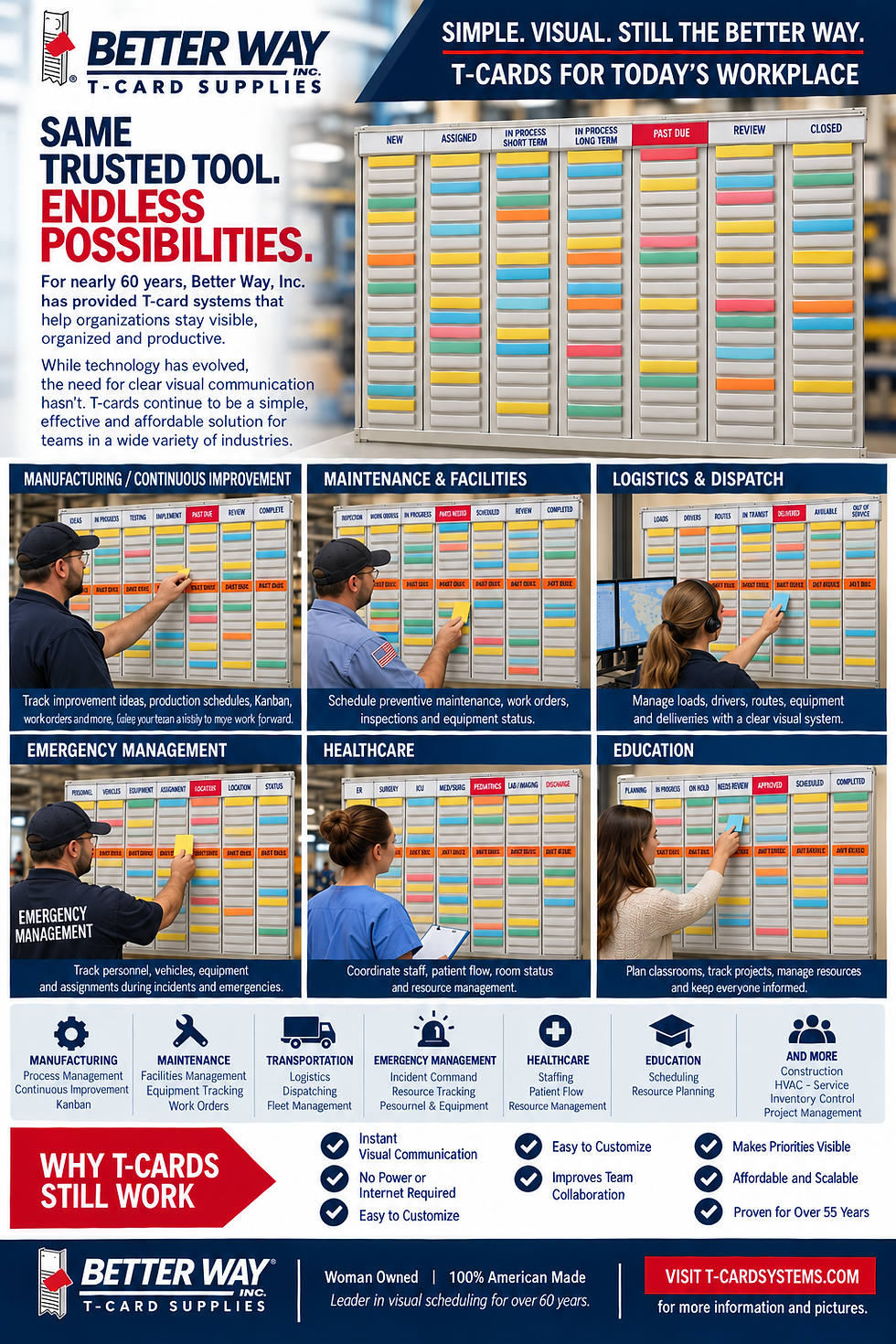
Understanding how T-Cards function is crucial for their effective implementation. Each T-Card represents a task or project component. You can categorize them based on their priority, phase, or team assignments.
Here is a simple breakdown of how they can be utilized:
Visual Tracking: Place T-Cards on the board according to their status. For example, cards can move from “To Do” to “In Progress” to “Completed.”
Information Access: Write down vital information directly on the T-Card, such as deadlines, responsible team members, and key points related to tasks.
Intuitive Organization: The colorful nature of T-Cards allows for an intuitive organizational structure, where individuals can quickly spot high-priority items.
4. Writing Stations
A writing station is another essential component of a T-Card setup. It should include all the stationery you need to write on or modify your T-Cards, helping create a smooth workflow:
Markers: Use different colored markers for categorization, making it easy for viewers to identify progress or priorities.
Sticky Notes: These can complement your cards, allowing for temporary notes or reminders that can easily be moved around.
Wipeable Pens: If you have reusable T-Cards, consider using wipeable markers or pens.

5. Tools for Collaboration
If you plan to use T-Cards as part of a team, it's essential to include tools that promote collaboration. Consider these items:
Sticky Dots: Use these to indicate priority or status updates easily without rewriting.
Team Wall: Designate a space where team members can interact with the T-Cards, adding comments or updates for each task.
Communication Tools: Incorporate tools like chat applications or project management software to supplement the T-Card experience.
Maximizing Your T-Card Setup

Now that you are equipped with all the essential supplies, it's crucial to focus on maximizing the utility of your system. Here are actionable recommendations:
Regular Updates: Set a fixed time weekly to review and update the T-Cards. This prevents the board from becoming cluttered and maintains its relevance.
Involve Team Members: Encourage team participation in the T-Card process. This boosts engagement and accountability among members.
Color-Code and Categorize: To enhance clarity, use a consistent color system throughout your T-Cards. For example, red for urgent tasks and green for those that are completed.
Review Metrics: Analyze the flow of tasks using metrics like time taken to complete tasks or the number of tasks per category. This will guide improvement.
Next Steps
As you build your T-Card setup, remember that the key to success lies in consistency and adaptability. Experiment with different layouts, colors, and materials until you find what works best for you and your team. The great part of a T-Card system is its simplicity—making it easy to scale or modify as your projects evolve.
If you’re interested in exploring the T-Card system further, visit T-Card Systems for additional resources and products tailored to your needs.
Using the practical tips outlined in this blog post, you can create an effective and efficient T-Card setup that enhances productivity, organization, and clarity in your work or personal projects.

Comments